 Seabook
Import your dive computer log over Bluetooth.
Seabook reads the dives stored on 108 dive computers from 20 brands and puts them in your logbook, on iPhone and Android.
Get the appPair it once.
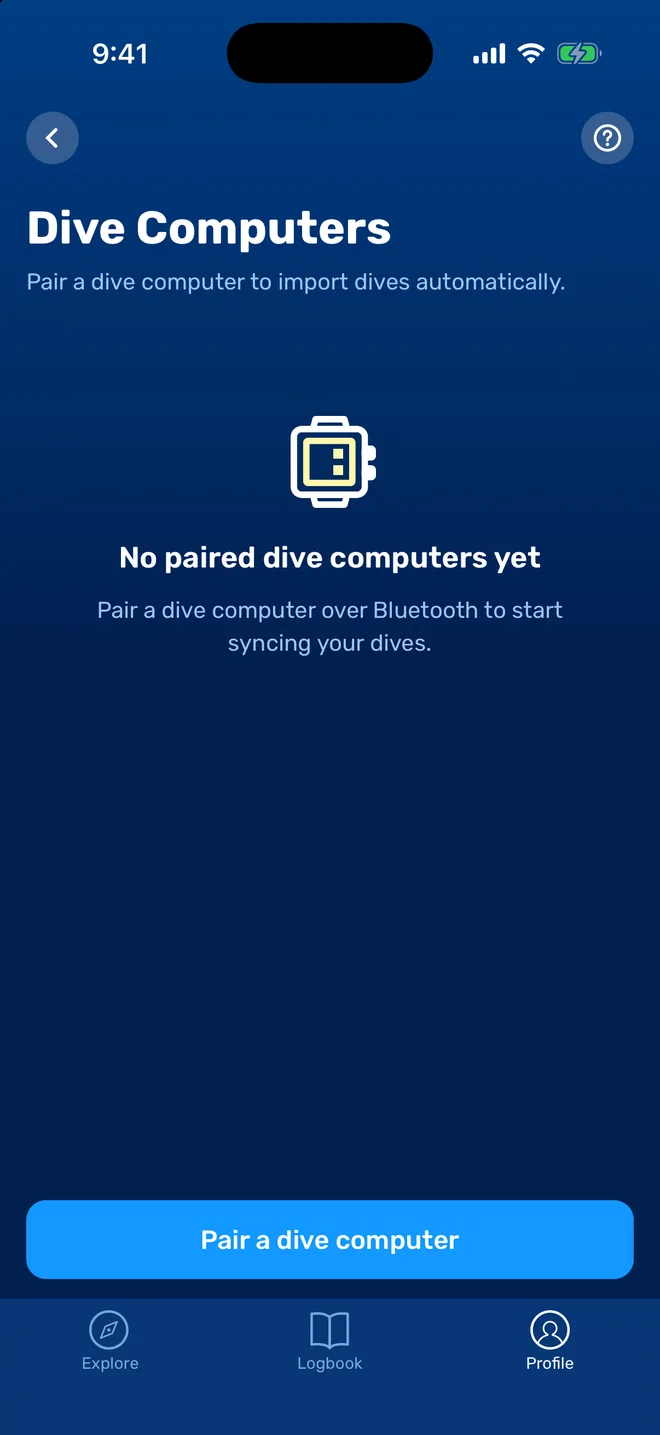
- Open Profile, then Dive Computers.Tap "Pair a dive computer".
- Wake the computer up.Tap its screen or put it in Bluetooth mode so it starts broadcasting, and keep it next to the phone.
- Pick it from the list.Seabook shows the dive computers it finds nearby.
- Tap Sync.Your dives download into the logbook. After that, each sync brings in only the new ones.
108 models.20 brands.
Support is model by model. These are the brands; check your exact model before you rely on it.
- Suunto
- Shearwater
- Mares
- Scubapro
- Cressi
- Oceanic
- Aqualung
- Apeks
- Ratio
- Divesoft
- Heinrichs Weikamp
- Halcyon
- Sherwood
- Deepblu
- Genesis
- Deep Six
- Crest
- McLean
- Oceans
- Scorpena
What comes across.
Seabook copies what the dive computer log holds and leaves the human parts to you.
- Date and time inExactly as the computer's clock recorded them.
- Duration and maximum depthThe two numbers every logbook asks for, without typing.
- The depth profileThe full curve of the dive, drawn on the dive page.
- Temperature and gasWater temperature, gas mix and tank pressure, when your computer records them.
- Then you add the placeAttach the dive site and location after the import.
- And the animalsPick the species you saw, or identify them from your photos.
If pairing does not go through.
Check that Bluetooth is on and that Seabook is allowed to use it. On the dive computer, open its Bluetooth menu and forget any old pairings, then try again. If the computer is connected to another phone or to the maker's own app, disconnect there first.
Many computers stop broadcasting after a few minutes to save battery. If the list stays empty, wake the computer again.
Do not see your model? Write to contact@seabook.app with the brand and model. In the meantime you can log those dives by hand.
Dive computer questions.
Which dive computers can Seabook import from?
108 models from 20 brands: Apeks, Aqualung, Cressi, Crest, Deep Six, Deepblu, Divesoft, Genesis, Halcyon, Heinrichs Weikamp, Mares, McLean, Oceanic, Oceans, Ratio, Scorpena, Scubapro, Shearwater, Sherwood and Suunto. The computer needs Bluetooth.
Will syncing create duplicate dives?
No. After the first import Seabook remembers the last dive it read from each computer and brings in only newer ones.
If I delete an imported dive, does it come back on the next sync?
No. A dive you deleted stays deleted, even though it is still stored on the computer.
Does dive computer sync work on Android?
Yes. Bluetooth import works on both iPhone and Android.
What if my dive computer is not on the list?
Write to contact@seabook.app with the brand and model. Until it is supported you can log those dives by hand.
Why is the time on an imported dive wrong?
Seabook keeps the time exactly as the dive computer recorded it. If you travelled across time zones and did not change the clock on the computer, the dive shows the computer's time. Set the clock on the computer before the first dive of a trip.
Pair it before the next trip.
Install Seabook, wake your dive computer, and your logbook fills itself in.